Sublimation Ink Guide � Best Sublimation Ink for Epson EcoTanks

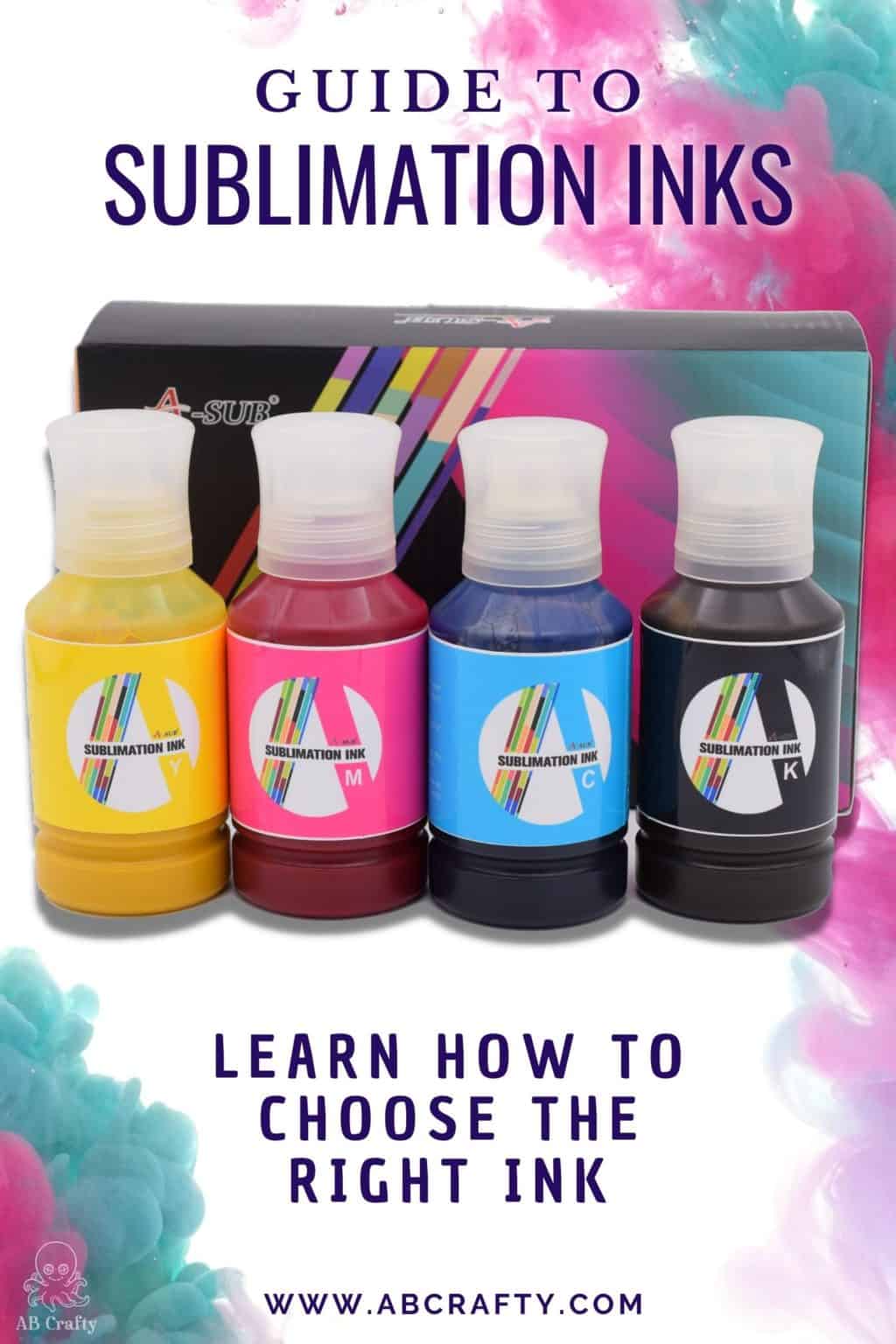
a-sub autofill sublimation ink in the background with the title "guide to sublimation inks"

Choosing the right sublimation ink is the most important decision you’ll make for your printer. It’s the difference between a shirt that pops with color and one that looks like a muddy mess after the first wash. After years of testing different brands and living through a “black ink disaster” that almost ruined my floor, I’ve learned that the “best” ink isn’t just about the colors, it’s about how that ink gets into your machine.

Table of Contents

Note: Some links in this post may contain affiliate links, which means at no cost to you, I may earn a commission.

The Honest Truth: My 600ml Black Ink Disaster

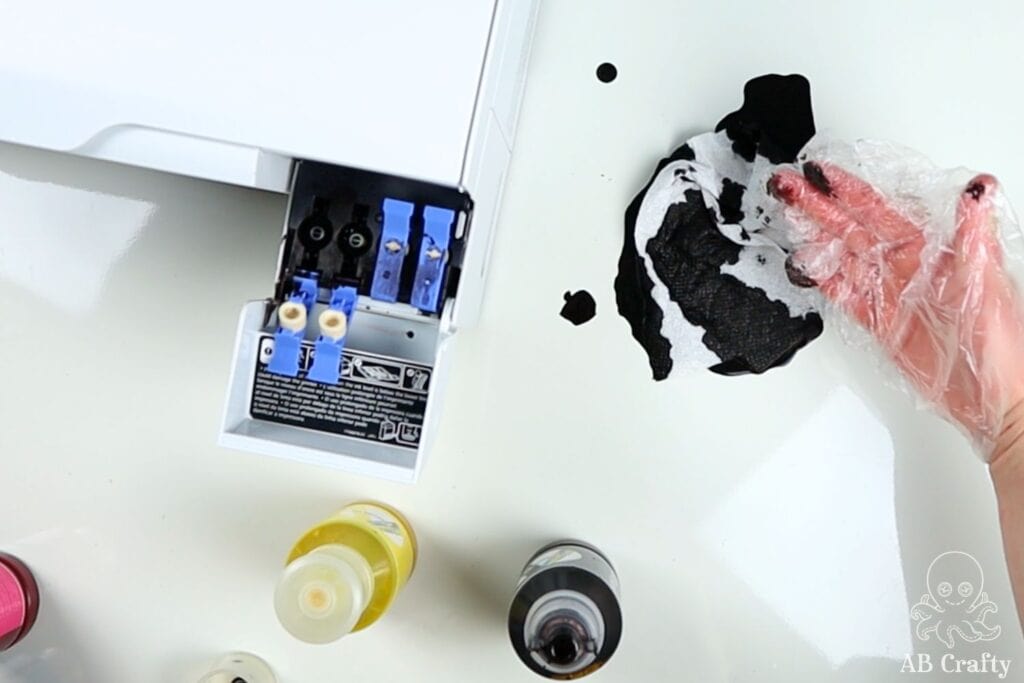
Most people tell you that “autofill” bottles are the ultimate convenience, but they can be a total nightmare if the packaging is even slightly off. I once received a set of ink (this one) where one of the black ink bottles arrived with a slightly bent nozzle. I didn’t think much of it until I flipped it over to fill my Epson EcoTank. Because the nozzle didn’t sit perfectly, the ink didn’t flow into the tank, it just gushed out everywhere.

I ended up with black ink on my hands, the desk, and most frustratingly, all over the other color reservoirs. This is the reality of “hacking” your printer. While I still use these inks, I’ve learned that you can’t just trust the “automatic” part of the process. You’ve got to be ready to pull that bottle off the second you sense something is wrong or you see a leak.

open tank of an epson ecotank printer with black sublimation ink all over it and the table

How to Choose the Right Sublimation Ink

When it comes to choosing the right sublimation ink for your printer, there are thankfully only a few questions to ask:

1. Do you print a lot of black?

Most kits come with equal amounts of every color, but others (like this one) come with an extra or much larger bottle of black. If you do a lot of text or dark designs, you’ll want that extra volume.

2. Does your printer have tanks or cartridges?

It’s important to consider exactly how the ink gets into your machine. If you have a dedicated, “pro” sublimation printer such as a Sawgrass or Brother, you’ll usually need to buy brand-specific cartridges. These are pre-filled and “plug-and-play,” but they’re also the most expensive way to buy ink.

If you are using a converted printer that still uses cartridges, you have more flexibility. You can buy “Refillable Cartridges” and fill them yourself using a syringe. In this case, you just need to make sure the ink you buy includes a needle and syringe kit.

If you’re using an Epson EcoTank, you have the easiest setup because you can fill the printer directly. You have the option of using “Autofill” bottles that lock onto the tanks or using the syringe method. While autofill’s faster, I always recommend having a syringe on hand as a backup. It’s the only way to be 100% sure you’re getting a clean fill without any air bubbles or messy “blowouts.”

pointing to the open ink cartridge to put the sublimation ink

3. Do you want to have more control or do prefer an easy solution?

If you prefer 100% control over the ink-filling process, you should opt for a set that comes with syringes. This method requires you to manually fill each tank or cartridge, which means you can add precisely the amount you need. It’s a bit more “medical” and takes longer, but it’s the only way to guarantee you won’t have an accidental overflow or a pressurized leak.

On the other hand, “Autofill” bottles are designed to be the simpler approach. You just flip the bottle upside down, lock it onto the printer port, and let the reservoir fill on its own. While these are designed to stop automatically when the tank is full, they aren’t foolproof. This is exactly where my own “black ink disaster” happened. If the nozzle is even slightly defective, the ink won’t stop, it’ll just gush out everywhere.

If you’re a beginner, I recommend a brand such as Hiipoo specifically because they give you the choice. Unlike some other brands that only offer autofill, Hiipoo has a dedicated syringe-fill kit you can buy instead. While they don’t include both options in the same box, having the ability to choose the syringe-fill version from the start is the best way to protect your printer and your floor.

4. Is price your main priority?

While the top three brands are very similar in quality, the prices fluctuate. If you’re on a budget, you can usually find a deal on one of the big three (Hiipoo, Koala/A-Sub, or Printers Jack) without sacrificing results.

Autofill vs Syringe Fill Sublimation Ink

There are two main ways to get ink into your machine: using a syringe or using “Autofill” bottles. While syringe-fill inks work with almost any printer, autofill bottles are specifically designed for “supertank” printers like the Epson EcoTank. If you have a printer that requires a cartridge, you’re strictly limited to the syringe method. However, if you have an EcoTank, you can use either one.

Here is the breakdown of the pros and cons for each:

Syringe Sublimation Ink

>
  • Universal Compatibility: You can use these with any printer, including those that require refillable cartridges.
  • Total Control: Using a syringe allows you to see exactly how many milliliters you’re adding. You won’t accidentally overfill or deal with “pressure” leaks.
  • Lower Cost: These sets tend to be cheaper because you aren’t paying for the specialized “locking” lids.
  • The Downside: It’s a slower process with more steps, and you’ve got to clean the syringes between every use to avoid clogging them.

Autofill Sublimation Ink

placing the black ink into the fillable cartridge on the epson ecotank 2800 printer
  • The “Easy” Button: These bottles are designed to lock onto the printer and fill the tanks automatically. When it works, it’s very fast and mess-free.
  • EcoTank Only: You cannot use these with cartridge-based printers.
  • Higher Cost: You’re usually paying a premium for the convenience of the specialized bottles.
  • The Risk Factor: If something goes wrong, (such as a bent nozzle or a seal that doesn’t break correctly) you’re going to have a much bigger mess on your hands. Since the bottle is inverted, more ink will spill in a few seconds than you would ever lose with a syringe.

If I were starting fresh today, I’d probably use the syringe method every single time. It’s the only way to be completely sure you aren’t going to have a 600ml disaster on your craft room floor.

a-sub autofill sublimation ink in the background with the title "guide to sublimation inks - learn how to choose the right ink"

The Best Sublimation Inks

I’ve tested several brands, and honestly, the ink quality between the top contenders is very similar. The real difference comes down to the amount of black ink they have and the filling accessories they include.

Brand Filling Method Best For
Hiipoo
Syringe & Autofill
My Top Pick! I’m partial to the one with syringes and extra black ink for just a few bucks more
Koala (A-Sub)
Autofill
A solid, reliable standard. This’s what I used for years, though you have to be careful with the nozzle seating.
Printers Jack Anti-UV
Autofill
The gold standard for items that will be outside or washed frequently due to their high UV resistance.

Hiipoo Sublimation Ink (My "Starting Fresh" Pick)

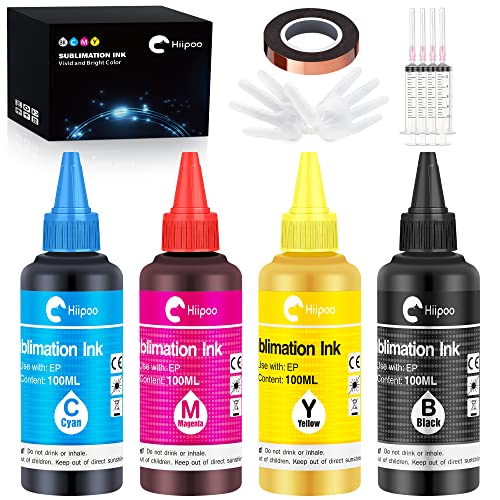
Hiipoo is a popular brand in the sublimation world, and if I were to start my journey over today, this is the set I would buy first. While they are on the pricier side, they offer specific kits that cater to different needs. This set in particular is my top choice because it comes with the syringes you need for a controlled, mess-free fill. It uses smaller 100ml bottles, which are much easier to handle if you are filling a printer that uses cartridges.

One of the best things about this kit is that it actually comes with two black ink bottles. Since black is the color you will likely use the most, having that extra volume is a huge benefit. This kit also includes a roll of heat tape as a bonus, which is an essential tool you will need anyway. If your printer requires a cartridge or if you just want to avoid the risk of an “autofill” disaster, you really cannot go wrong with this set.

Koala / A-Sub Sublimation Ink (The "Best Value" Workhorse)

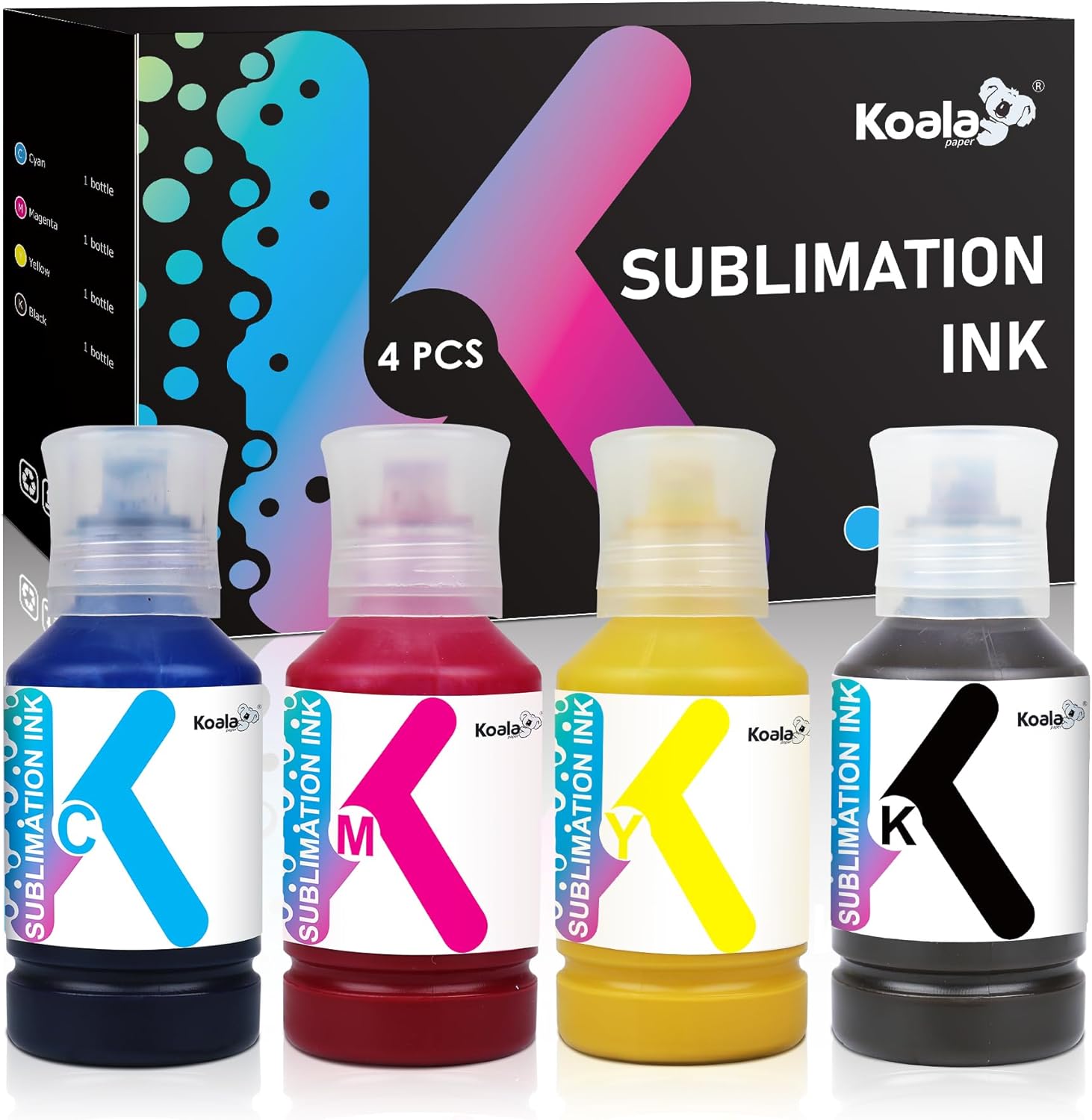
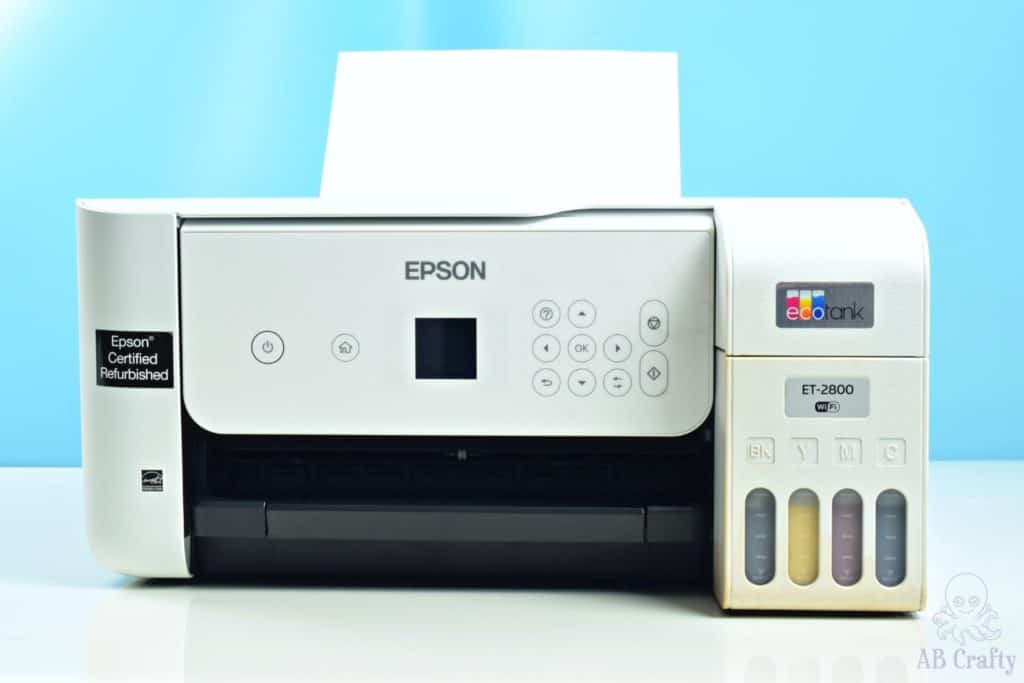
This is the ink I currently have in my sublimation printer, and it’s overall the best value you’ll find. The bottles in this kit are massive at 600ml total, which means you’ve enough ink to fill an Epson EcoTank 2800 twice before you ever need to buy more. Most standard kits only have about 100ml in each bottle, so this set really lasts a long time.

The main draw of these bottles is the automatic fill design, which’s meant to save you the hassle of dealing with syringes and needles. However, you’ve got to be careful. In the first set I received, one of the bottles arrived with a bent nozzle. Because it didn’t seat perfectly on the printer port, I ended up spilling black ink everywhere. It was quite a mess, and I had to clean up the lines to make sure the colors didn’t mix.

On the bright side, the customer support was amazing. They promptly sent me replacement ink and even included a cleaning kit to help with the mess. So, despite that initial hiccup, I’ve had a positive experience overall. If you choose this brand, just do a quick check on the nozzles before you flip them over!

Printers Jack Anti-UV Ink (The "Sunlight" Specialist)

f you are making items that will be outside or washed frequently, such as garden flags or car coasters, you should consider this ink. These 140ml bottles are specifically formulated to resist fading from the sun better than standard sublimation inks. While this set’s more expensive than the other options, it is worth the investment for the peace of mind if your projects are going to be living outdoors.

One thing to keep in mind’s that Printers Jack only offers this UV-resistant version in the autofill style. Since you can’t get these in a syringe-fill kit, you’ll want to be extra vigilant when filling your tanks. If you want that extra level of control to avoid a spill, you can always buy a set of syringes separately and draw the ink out of the autofill bottles yourself. It’s a few extra steps, but it is the best way to get the most durable ink without risking a messy “blowout.”

Get the latest DIY tutorials, reviews, and crafting updates

You'll never be spammed and can unsubscribe at any time

The Final Verdict: Which one should you actually buy?

  • If you’re terrified of a black ink leak: Get the Hiipoo Syringe Kit (Amazon). It takes longer, but you’ll sleep better knowing you aren’t going to ruin your printer and carpet.
  • If you’re printing 50 shirts this weekend: Get the Koala 600ml set (Amazon). You’ll save a fortune on ink costs, and the autofill is fast once you verify the nozzles are straight.
  • If you’re making a gift that will sit on a sunny porch: Spend the extra money on Printers Jack Anti-UV (Amazon). The Anti-UV protection is the only way to ensure your hard work doesn’t fade into a ghost of a design by mid-summer.
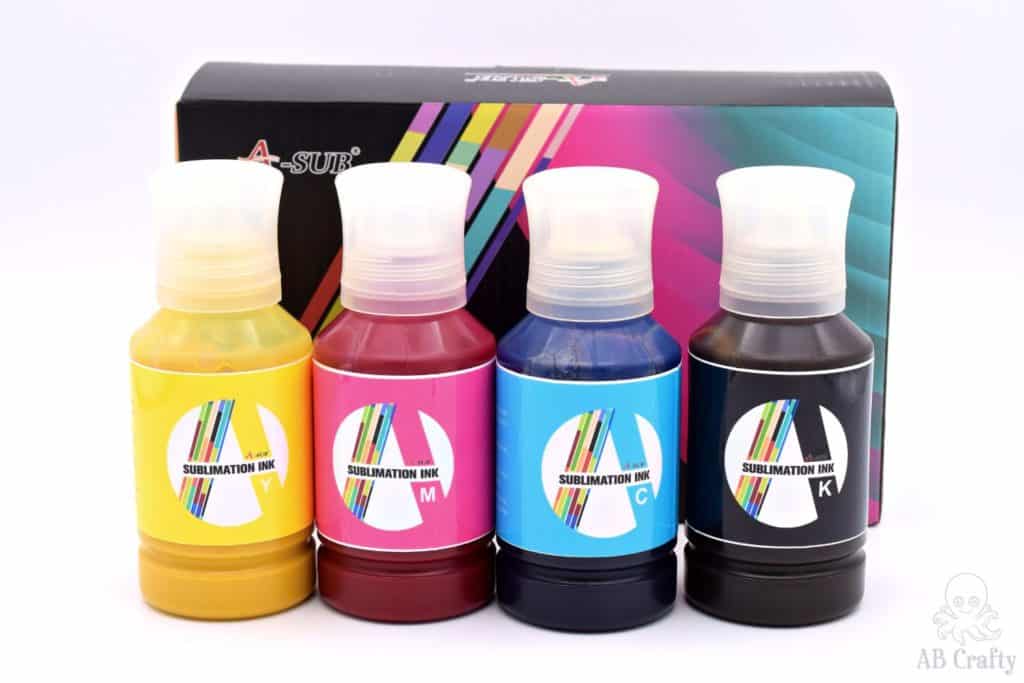
A sub sublimation ink in yellow, pink, blue, and black

What is Sublimation Ink?

Sublimation ink is a type of dye-based ink that is specifically designed for sublimation printing. It’s used in a sublimation printer to print any sort of design that you’d like transferred to a fabric such as shirts or other material. The ink is heat activated and transforms from a solid to a gas when exposed to high temperatures and pressure. Then when it cools, it sinks into the material, actually dyeing it, so that you don’t feel anything on the material. Sublimation inks can be used on fabrics, wood, metals, glass, and more!

The advantage to using sublimation ink is not only that you can’t feel the print when transferred, but also you can print any design you want.

epson ecotank printer filled with sublimation ink and sublimation paper

How Do You Use Sublimation Ink?

Sublimation ink is what you need for a sublimation printer. You can either buy a stand-alone printer or convert an inkjet printer into a sublimation printer by using sublimation ink. I actually have a full tutorial on how to do this with an Epson Ecotank 2800, check it out here.

Once the ink is loaded, simply mirror your design and print as you normally would. It’s best to use sublimation paper (this is the kind I have) to ensure you have the best quality print.

After that, just send the print job from your computer and let the sublimation paper and ink do their thing! Finally, when it’s done printing, use a heat press machine to transfer it onto your desired material.

The "One-Way Street" Final Word

Choosing your ink is the most permanent decision you’ll make in your sublimation journey. Whether you go with the precision of a syringe-fill kit from Hiipoo or the massive value of the Koala 600ml bottles, just remember that once you pour that ink in, your printer is officially a sublimation machine. Take your time, check your nozzles, and don’t be afraid to keep a roll of paper towels handy just in case.

Now that your ink is ready, you’re ready to start pressing!

What to read next:

More Craft Supply and Gift Guides

Picture of Daniela Kretchmer

Daniela Kretchmer

Daniela is a lifelong crafter who loves to share her passion for crafting. Through classes or learning on her own, she likes to say she'll do pretty much any craft aside from scrapbooking. Her current personal obsessions include garden crafts, felting, and spinning yarn.

More Craft Projects and Ideas

Leave a Comment

Your email address will not be published. Required fields are marked *